Campaign
StudioLab members only. The code is pinned in the Campaign lesson.
Lab members only. The code is pinned in the Campaign lesson.
Pick a real brand and product, pick the campaign style, cast your model, and copy prompts that look like a paid shoot. Post it as a concept campaign, tag the brand, then send the pitch. That's how AI creators land brand deals.
The fastest way in: drop your product, type one sentence, and the studio builds the concept, direction, shots and prompts for you. Then fine-tune anything below.
Real brands, named exactly, so the post can be tagged and pitched. Or type your own product.
The structure behind viral AI campaigns: macro opener, editorial hero, a variant, then a hero shot with a twist.
Your twin, a female or male model, a couple or a duo. Turn on "Use my twin" to lock the face to your photo.
AI guesses logos when it has no photo. Add a clean photo of the EXACT product (front, logo visible). Kiki reads it and locks the shape, colors, label and logo into every prompt. Then attach the same photo as image 2 when you generate in Higgsfield.
Seedance for the campaign film, Seedream 5 Pro for stills with faces (Nano Banana Pro only for small product or text edits). Paste with your photos in the order shown.
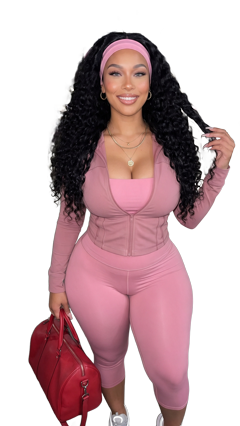
Uses your own Higgsfield credits (about 2-3 per photo). It makes Still 1 with a brand-new model. For YOUR twin or the exact product, copy the prompt and attach your photos in Higgsfield.
One idea becomes a whole launch: the creative direction, every asset to make (film, stills, behind-the-scenes), a 7-day posting plan, and what to deliver to a client. Updates with everything you picked above.
Brands don't just buy one video, babe. They buy the whole rollout. Make the hero film first, then the BTS clips from the SAME look so it feels like one real shoot.
Starter: 4 stills + captions
Campaign: 1 film + 4 stills + caption kit
Full launch: 1 film + 8 stills + 3 BTS clips + 7-day plan
Always deliver full-quality files, never a squeezed phone copy.